J.W. AIRRADAR / Features

A closer look at the instrument.

Real screenshots of AIRRADAR: radar, Nearby Display and aircraft details. Select any image for a closer look.

01 / AIRRADAR

A radar you control.

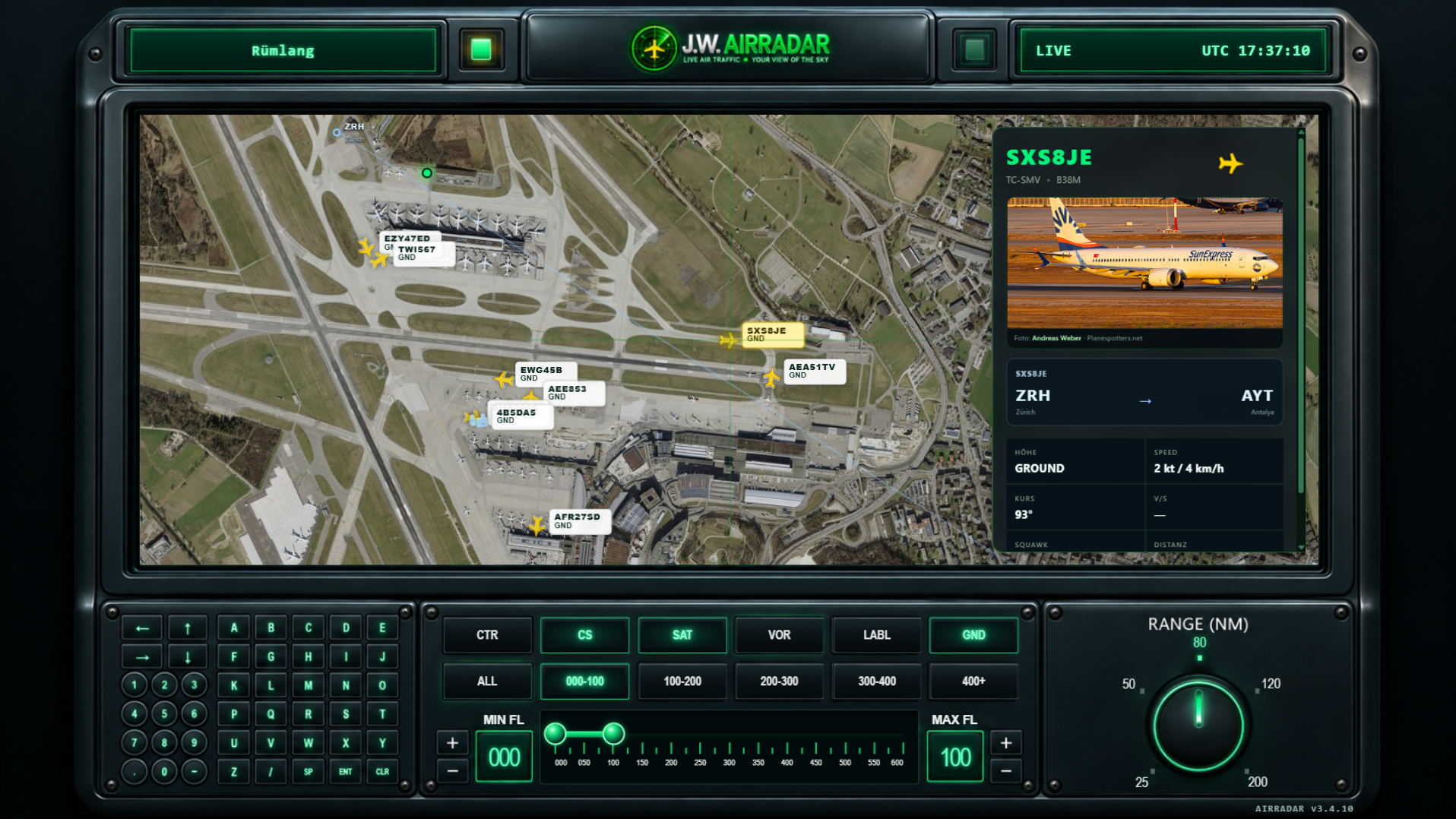
Fixed ranges from 25 to 200 NM, flight-level filters, callsign search and Aircraft Follow put you in control of your radar view.

Select an aircraft and Aircraft Follow automatically keeps it centred on the map. Your target stays in view instead of disappearing at the edge. Press CTR to return to your configured AIRRADAR location at any time.

The interface is designed for direct use too: the integrated keypad is fully functional. On a touchscreen monitor or tablet, you can operate AIRRADAR directly on the display without an additional keyboard.

Search, select, follow and return to your location – all directly on the radar.

Radar with map and avionics controls

02 / NEARBY DISPLAY

A second screen. Close to the action.

AIRRADAR Nearby brings the sky directly to your display. While the radar runs on your main screen, a second monitor or a separate tablet automatically shows the closest aircraft, with a photo and flight data where available. The display refreshes every 30 seconds.

Place your tablet beside you and see at a glance what is flying above you. No searching, switching or guessing – AIRRADAR shows you the aircraft that is nearby right now.

For spotters, avionics enthusiasts and anyone who wants to identify what they see in the sky. A must-have for aviation fans.

Nearby Display for a second monitor: the closest aircraft with photo and flight data

03 / CALLSIGN SEARCH

Only caught the ending?
Find the aircraft behind it.

When listening to aviation radio, sometimes you only catch the last three characters of a callsign. AIRRADAR also lets you search by the final three or four characters, helping you match what you heard to callsigns in the available traffic. A partial callsign may have more than one match.

Callsign search by full callsign or its final three to four characters

04 / AIRCRAFT DETAILS

From signal to aircraft.

AIRRADAR turns received ADS-B data into a complete picture of the traffic around you. Position, callsign, registration, aircraft type, altitude, speed, heading and vertical rate are brought together clearly and displayed at the corresponding aircraft.

You also see the distance from your configured location and the bearing – the precise direction of the aircraft from your position. When more information is available, AIRRADAR adds route details.

A single radio signal becomes a clear overall picture: which aircraft is it? Where is it? Which way is it flying? How high and how fast is it travelling, and where is it heading?

Selected aircraft with detail panel

05 / Views

More perspectives on the sky.

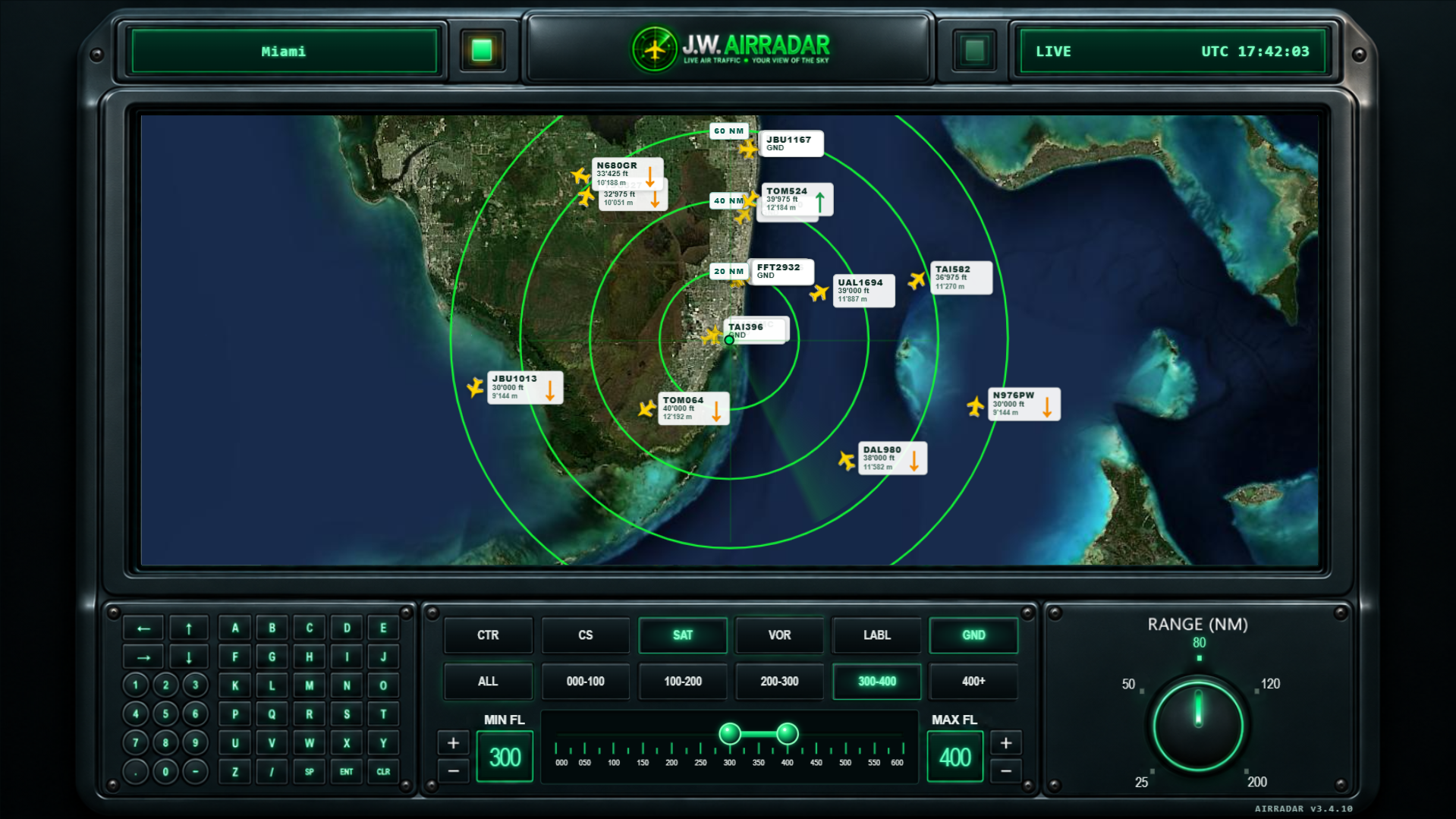
AIRRADAR offers different views of the same traffic. Use the classic OpenStreetMap, switch to satellite imagery or display VOR/DME navigation points, depending on the perspective you need.

Nearby Display adds a focused view of the closest aircraft. When data is available, AIRRADAR automatically adds aircraft photos, weather information and further details.

Move between an overview, navigation and detailed views at any time without losing sight of the traffic.

Satellite view with fixed radar ranges

J.W. AIRRADAR Desktop

Connect. Launch. Spot.

One-time purchase · Major version V3

CHF 49.–Buy AIRRADAR

For information, aircraft spotting and aviation enthusiasts. Not intended for flight navigation, air traffic control, safety-critical decisions or operational aviation procedures.